Mrs. Restrepo’s Fossil Expedition
Designing a teacher-led interactive fossil lesson for a second- and third-grade special-education classroom.
The classroom need
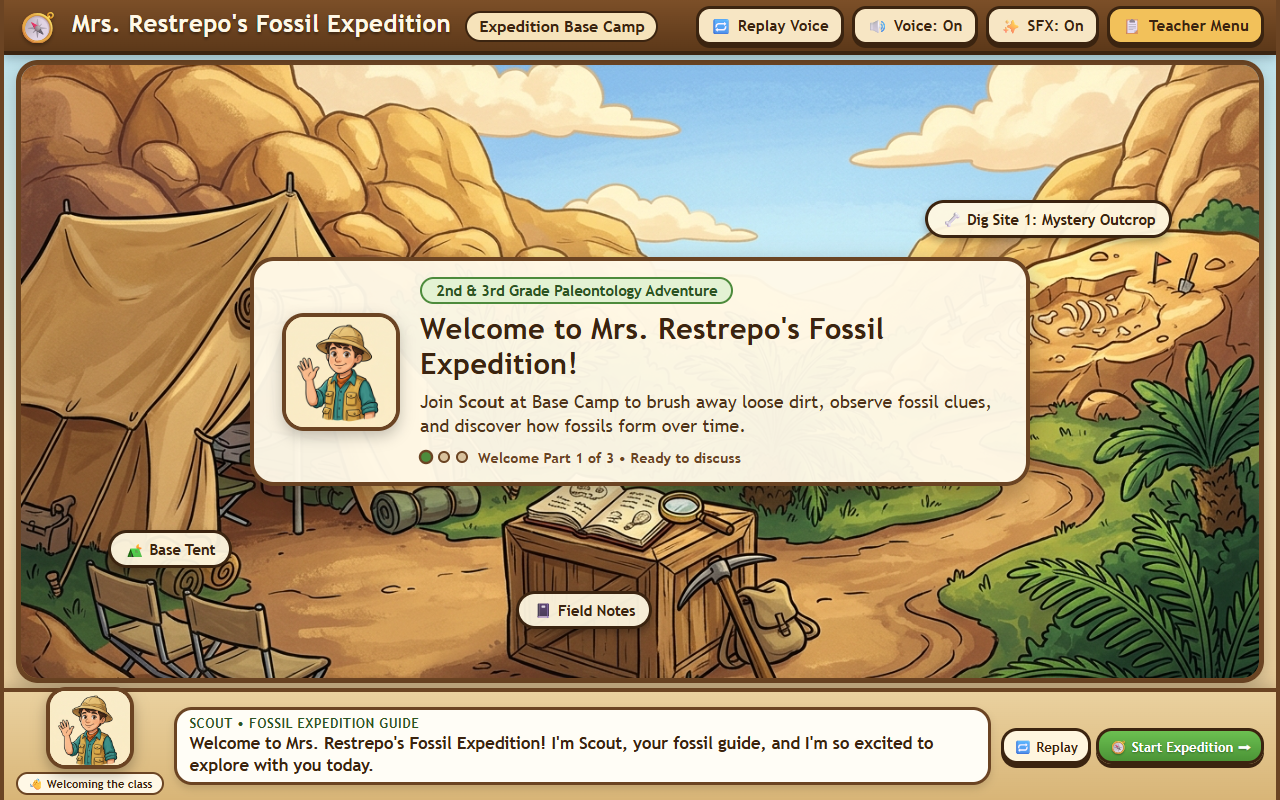
The project was created for Mike’s wife’s second- and third-grade special-education classroom. Rather than a solo student game on individual tablets, it supports whole-class instruction on a shared classroom display.
In a whole-group special-education setting, the teacher needs clear control over pace, discussion moments, and student turn-taking so the technology supports instruction rather than rushing past students.
The experience
Students explore how fossils form, take turns brushing away sediment to reveal a fossil specimen, and work through guided identification activities together.
Throughout the lesson, an illustrated paleontologist character named Scout provides spoken narration and visual prompts while keeping the experience structured as a teacher-led activity.
Mike’s contribution
Mike owned problem definition, feature prioritization, experience and pacing decisions, coordinating classroom feedback, AI-assisted implementation, testing, and iteration.
Working alongside his wife as the classroom subject-matter stakeholder, he translated real instructional constraints into concrete product choices and used AI coding tools to build, test, and refine the working web application.
Decisions and revisions
- Teacher-paced advancement and deliberate pauses for discussion: Instead of auto-advancing between screens, each step waits for the teacher so the class can discuss observations, ask questions, and transition between student turns smoothly.
- Narration revised with Azure neural text-to-speech: Early voice output sounded unnatural for read-aloud classroom instruction. After voice-quality feedback, narration was updated to use Azure neural text-to-speech paired with replay and mute controls.
- Touch-friendly interactions and a guided sequence: Large, clear hit targets and a predictable step-by-step flow make it straightforward for students to step up to the classroom display, brush away layers, and participate without complex menus.
- No competition or countdown timers: Removing points, leaderboards, and time pressure keeps attention on observation and participation, fitting a supportive second- and third-grade special-education environment.
What is being tested
The current status is teacher testing and refinement. Active areas for feedback include classroom usability on a shared display, pacing between narration and hands-on brushing steps, audio clarity in a live room, and display behavior across screen sizes.
Tools
- Antigravity for AI-assisted development
- Azure text-to-speech for spoken classroom narration
- Firebase Hosting for web delivery